The app
Your whole programme in one app: instafit
One goal, one minute a day, and trends your practice reads along with you. What the app does — screen by screen.
The native app is coming — until then instafit runs in the browser on any phone.
01
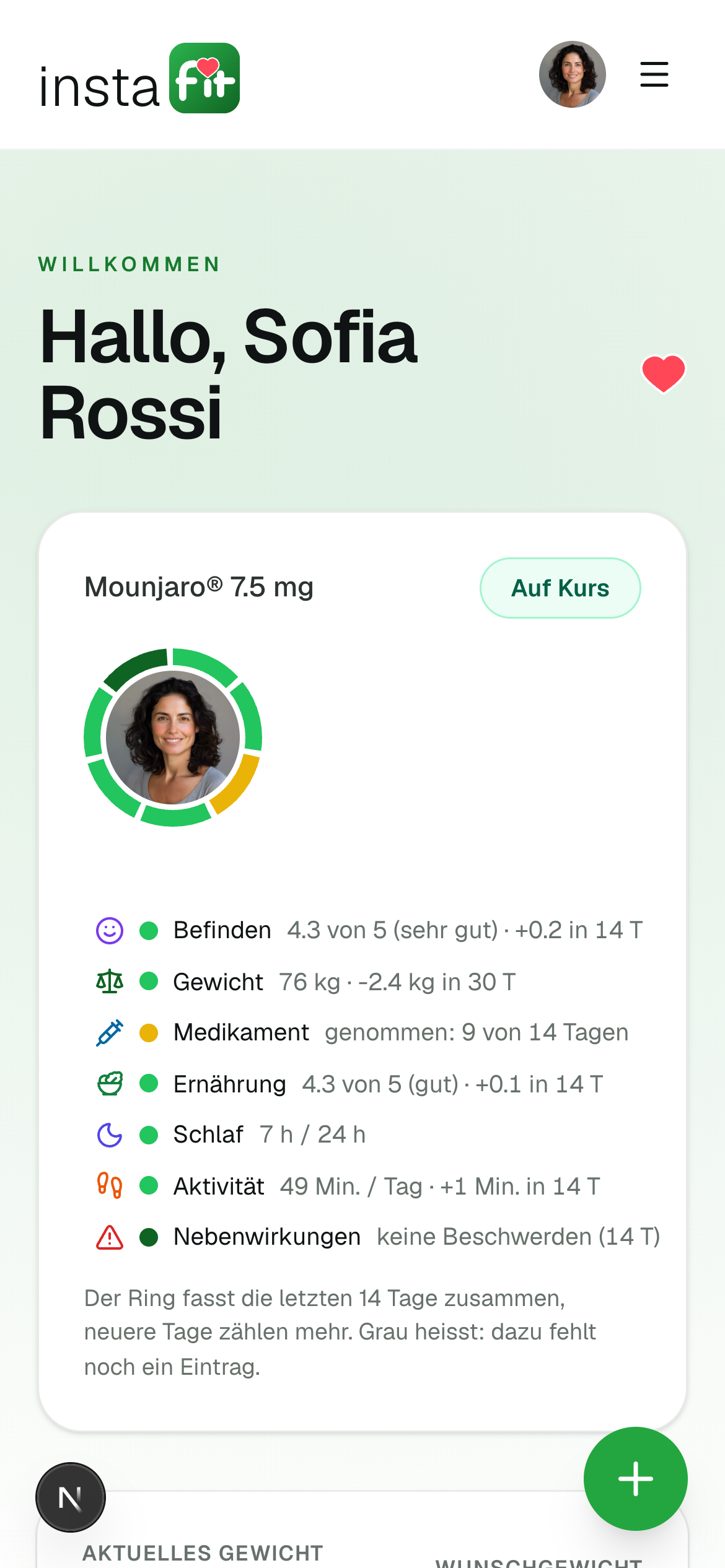
Your goal
A goal you agree with your practice
Not a number off the internet — a target weight discussed with a physician, and changeable at any time.
- Progress since the start, not how today went.
- Change the target whenever you like — your practice sees the change.
- Drop well below it and your care team gets in touch.
02
Check-in
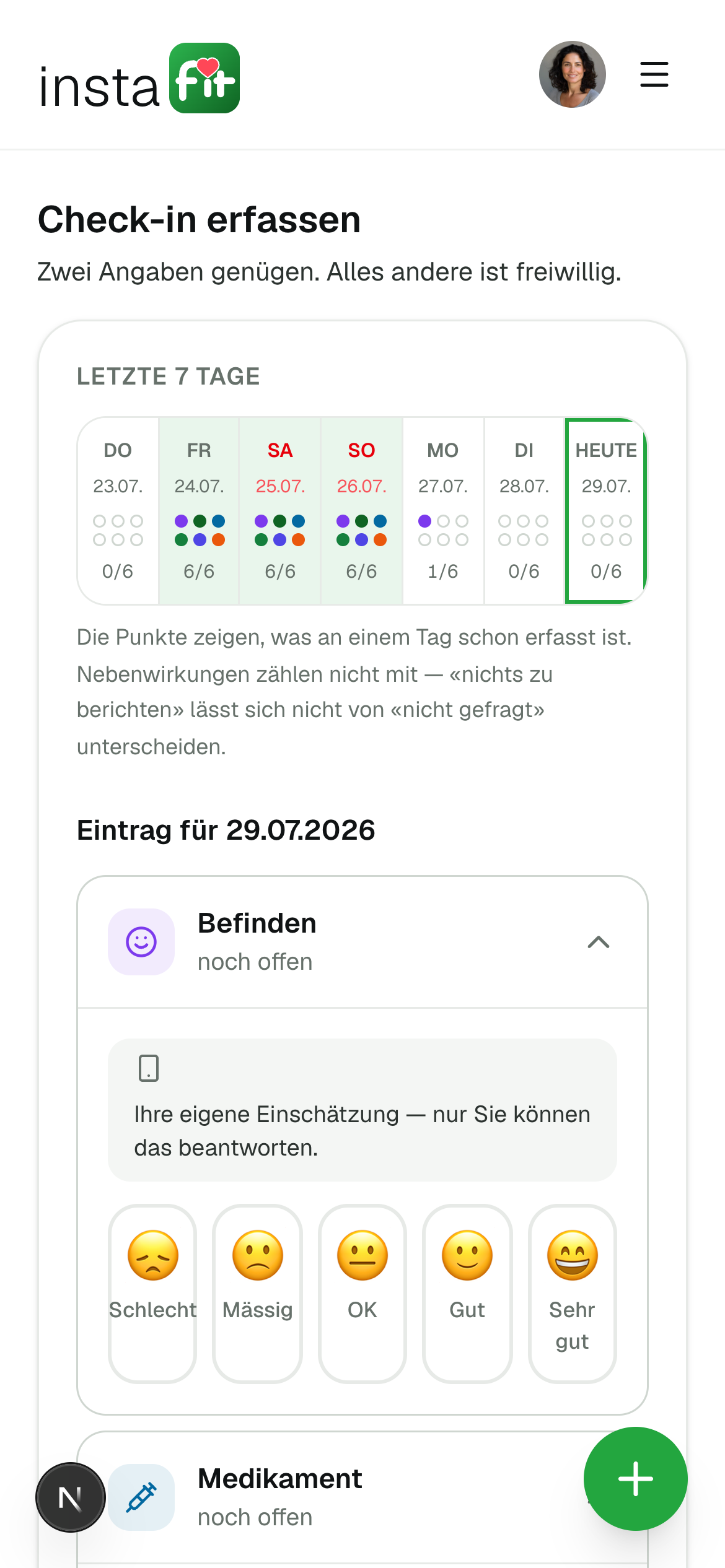
A minute a day, no more
Three questions stand open — how you feel, whether you took the medication, whether anything is bothering you. Everything else is optional.
- Gaps are fine: the maths only uses what is there.
- Any of the last seven days can be filled in later.
- The dots show what is already logged for a day.
03
Trends
What the curves actually say
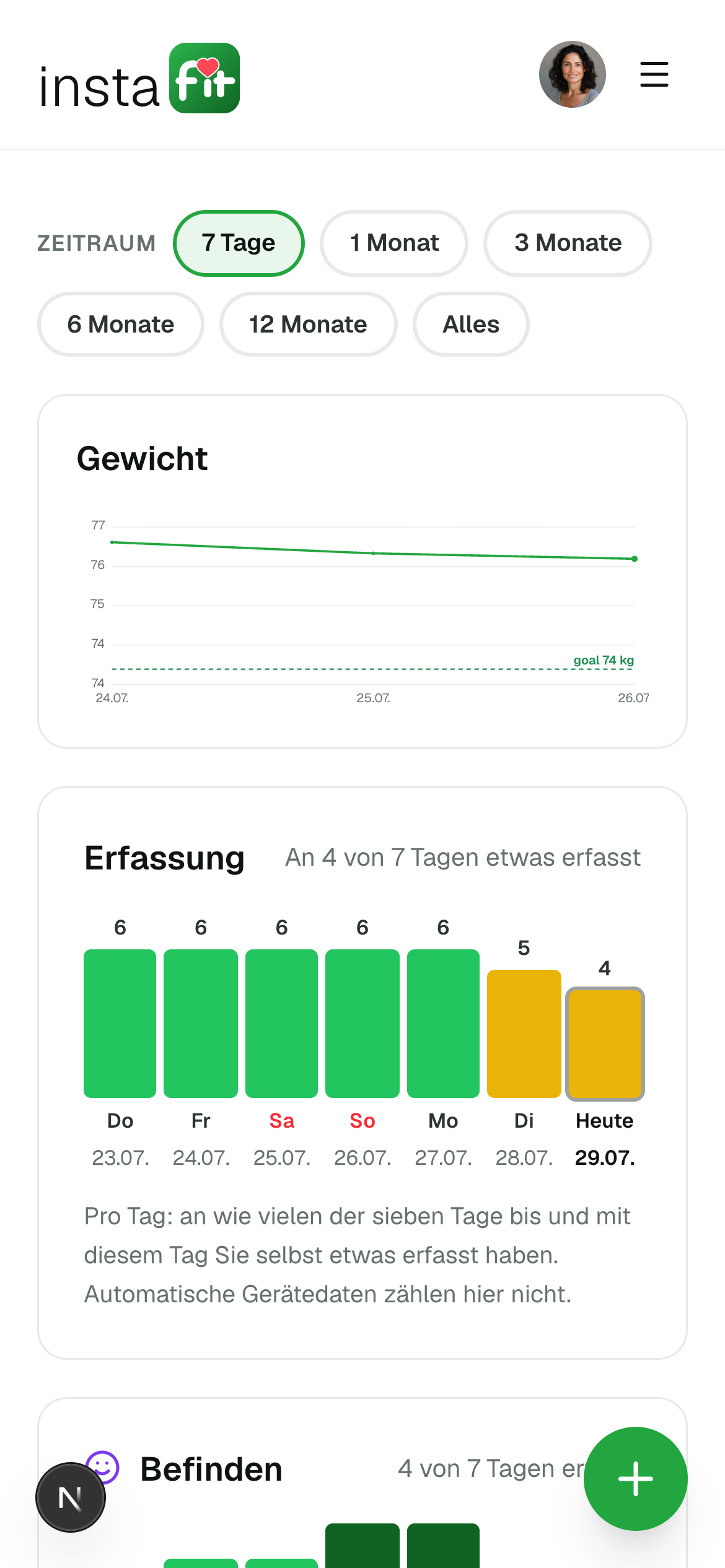
Single values say little. Over weeks the pattern appears — and every figure carries how it was arrived at.
- Each area on its own scale, explained in words.
- Hover or tap a bar: date, value, interpretation.
- Your practice sees the same trends — never two versions of the truth.
What we track — and how
Seven areas, each with a clear question and an entry that takes seconds.
Well-being
How the day actually felt
Entry: Scale 1–5, one tap.
Weight
The trend, not a single day
Entry: In kg, entered by you.
Medication
Taken or missed — both count
Entry: Taken, a different dose, or missed.
Nutrition
What works in real life
Entry: Tick six recommendations; meal photos optional.
Sleep
Recovery, often the first signal
Entry: Hours plus how rested, 1–5.
Activity
Movement that fits your life
Entry: Minutes, type and intensity.
Side effects
Symptoms early, not too late
Entry: Seven symptoms, each with severity — nothing tapped means nothing to report.
04
Questionnaire
Questionnaires your practice sends
When your care team needs to know more, the questionnaire arrives in the app — answered in minutes, reviewed at the practice.
- Appears under "My tasks", with a reminder.
- Answers go straight to your practice.
- You can always see what you answered.
My tasks
From your practice
Over the last two weeks, how often did you take pleasure in doing things?
Question 3 of 9
See it for yourself
Signing up takes three minutes. Treatment only starts once a physician has taken you on.
All figures shown are examples. The interface is the real one.